Which fine art paper suits your print?
For a portrait with delicate skin tones, start with smooth Canson Rag Photographique II. For a watercolor where the grain belongs in the picture, try Epson Cold Press Natural. Print the same proof on both and see which sheet brings out what you love about the work.
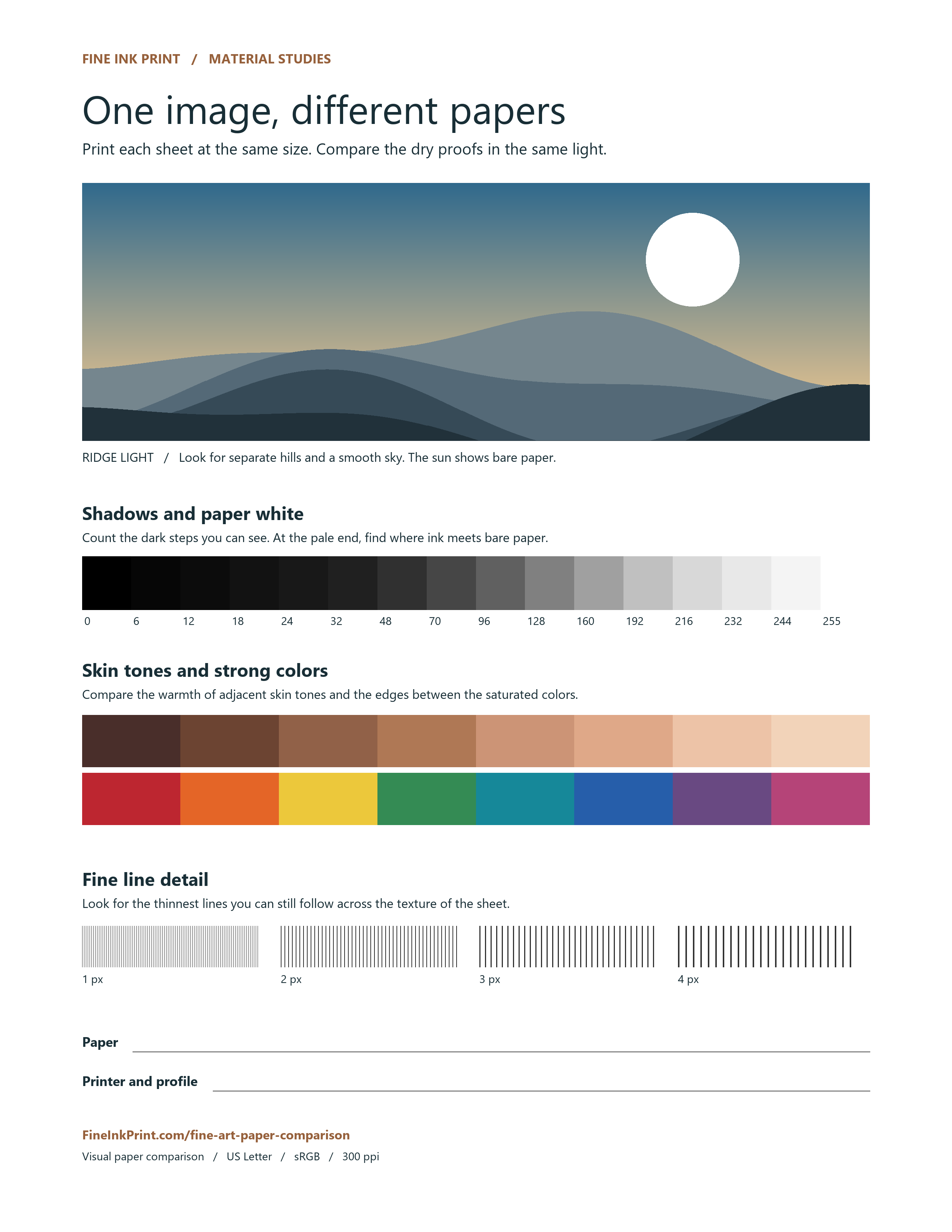
Compare five cotton fine art papers
All five use cotton. What you see in the finished print depends on the surface, the color of the bare sheet and how the ink sits on it. The product names link to the makers’ sheet sizes and ordering details.
| Paper and sheet size | Weight and finish | What to look for on your proof |
|---|---|---|
| Canson Infinity Rag Photographique IILetter sheets in both weights. | 210 or 310 gsm. Smooth matte cotton with no optical brighteners. | Try a portrait. Look at the cheek tones, then check whether the paper leaves the fine lines of an eyelash clear.Canson printer profiles |
| Hahnemühle Photo Rag® 308Also offered in the Matt FineArt Smooth sample pack. | 308 gsm. White matte cotton with a light felt texture. | Try a black-and-white photograph. Compare the darkest hills with the Canson proof to see how much texture you like in a shadow.Hahnemühle profile finder |
| Epson Cold Press NaturalLetter and larger cut sheets. | 340 gsm cut sheet. Natural white cotton with a textured matte finish. | Try a watercolor with a pale wash. Compare the light sky with the bare margin, then tilt the sheet to see its grain.Epson printer support and downloads |
| Moab Entrada Rag Natural 300Cut sheets include 4 × 6 inches and Letter. | 300 gsm. Smooth natural white cotton, coated on both sides, with no optical brighteners. | Try an artist book. Print a dark patch on one side and a light area on the other, then turn the page under your reading light.Moab profiles by printer |
| Canon Premium Fine Art RoughCanon Canada lists Letter sheets in a pack of 25. | 320 gsm. Rough cotton with no optical brighteners. | Try a charcoal drawing. Follow the finest hatch marks across the grain. Decide whether the texture adds to the stroke or breaks it up.Canon PRO-300 installed profile names |
Print the same file on each sheet
Use either download throughout the test. The PDF is US Letter. The PNG carries the same image at 300 pixels per inch for a photo editor or print lab. Use the same printer, image size and print quality for each sheet. If your printer needs a wider margin, reduce both proofs by the same amount.
Match the printer setting to the paper
Choose the maker’s media setting and ICC profile for your exact printer and paper. The profile tells the software how that combination reproduces color. Let the app or the driver manage color once. With a lab, ask for the same size and turn off automatic image edits on each proof.
Hold the proofs where the finished print will hang
Let each print dry as the paper maker directs. Count the dark patches you can still tell apart. Look at the fine lines straight on, then tip the sheet toward the light. Put the blank margins against the mat you plan to use. A paper that looks white by itself can look cream beside that mat.
Choose the paper with a crop of your own artwork
Print the part you care about most at its final size on your two favorites. A cheek in window light or a pencil line through a wash will tell you more than a whole painting shrunk to fit. Write the paper and profile on the proof you choose and keep it with the edition. This sheet helps you judge appearance. Calibration and fade testing need separate measurements.